Julian Ray Photography
Low resolution previews of: Imaging Unit
Click on a thumbnail to open the light box. Depending on your bandwidth it may take a few seconds to load the preview image. Once the image has rezed up you can advance or retard to the next/last image by either clicking on the right or left side of the image or by using the right or left arrow keys on your keyboard. To start or pause the automatic advance function click on the start/pause button on the lower left corner of the light box. To view an image full size click on the button on the upper right corner of the image. Moving the cursor off the image will cause the previews to disappear and the full size image can be viewed without distractions.

PHSH_2016_00316.jpg
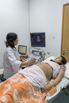
PHSH_2016_00321.jpg
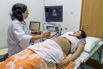
PHSH_2016_00325.jpg
PHSH_2016_00327.jpg
PHSH_2016_00332.jpg
PHSH_2016_00339.jpg
PHSH_2016_00343.jpg
PHSH_2016_00345.jpg
PHSH_2016_00349.jpg
PHSH_2016_00350.jpg

PHSH_2017_02727.jpg

PHSH_2017_02728.jpg
PHSH_2017_02745.jpg
PHSH_2017_02747.jpg
PHSH_2017_02755.jpg
PHSH_2017_02758.jpg

PHSH_2017_02764.jpg
PHSH_2017_02767a.jpg
PHSH_2017_02767b.jpg
PHSH_2017_02769.jpg

PHSH_2017_02771.jpg
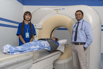
PHSH_2017_02773.jpg
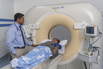
PHSH_2017_02786.jpg

PHSH_2017_02789.jpg
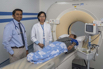
PHSH_2017_02794.jpg
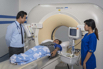
PHSH_2017_02799.jpg

PHSH_2017_02808.jpg

PHSH_2017_02810.jpg
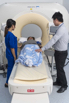
PHSH_2017_02816.jpg
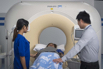
PHSH_2017_02817.jpg
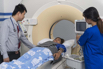
PHSH_2017_02821.jpg

PHSH_2017_02832.jpg

PHSH_2017_02833.jpg
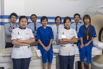
PHSH_2017_02838.jpg

PHSH_2017_02844.jpg

PHSH_2017_02846.jpg

PHSH_2017_02848.jpg